

For tutors who want teach online, a whiteboard isn't optional, it's the classroom. Whether you're explaining a maths problem, mapping out an essay plan, or working through a language exercise, having the right space to draw, annotate, and share ideas in real time changes how a lesson feels for both you and your student.
With so many tools claiming to be the best online whiteboard for tutoring, it can be hard to know where to start. Some are built for corporate brainstorming, others for classrooms of thirty, and only a handful are genuinely designed for the intimacy of a 1:1 or small-group lesson.
This guide rounds up our pick of the best online whiteboards for tutors in 2026, comparing features, pricing, and who each tool suits best, so you can find the right fit for your teaching style.
⏱️Psst! No time to read everything?Don't waste time; click here to jump straight to our comparison tables and pick the best online whiteboard for your tutoring lessons right away. |
Why a good online whiteboard matters for tutors and teachers
1 - It keeps students engaged and improves retention
A blank screen and a voice call rarely hold a student's attention for a full lesson. A visual, interactive whiteboard gives students something to actively engage with, which supports focus and helps information stick.
2 - It works across every subject, not just maths
From equation editors for science subjects to mind-mapping for essay planning, the best online whiteboard for tutoring adapts to whatever you're teaching, rather than forcing every subject into the same format.
3 - It works as one fully functional and connected space, not a patchwork of tools
The best online whiteboard for tutoring doesn't sit apart from the rest of the lesson or the others needed to teach. When the whiteboard, video, recording, and note-taking all live in the same place, there's nothing extra to open, switch between, or explain to a new student. That's what makes a tool feel less like software and more like a natural extension of how you teach.
Plus, it really does help you waste less time during your lesson (no need to switch between sites and tools), and you can fully focus on teaching.


How to Choose the Best Online Whiteboard
- Your subject: A maths or science tutor typically needs an equation editor and precise drawing tools to work through formulas and diagrams clearly, while a language or essay tutor may prioritise text annotation, highlighting, and space for structuring ideas rather than calculations.
- Your existing setup: If you already teach through a platform like GoStudent or run your calls through Teams, a whiteboard that's built into that environment removes friction, there's nothing extra to open, log into, or explain to a new student before the lesson can start.
- Your students' age: Younger students tend to do best with simple, no-login tools they can join with a single click, while older students and university-level learners can usually handle more feature-rich platforms with templates, layers, and advanced annotation.
- Your budget: Free tools can work well if you're only tutoring occasionally or trialling a new platform, but features like session recording, larger canvases, and multi-student boards are often reserved for paid tiers, so it's worth checking what you'll actually need before committing.
- How you plan to reuse your materials: If you regularly teach the same topics, look for a whiteboard that lets you save, duplicate, or reload boards between lessons, this saves you from recreating the same diagrams or explanations from scratch every time.
|
💡Tip: The best way to choose is by trying it yourself. We recommend testing the platforms out. Pick 2 to 3 students, and choose which tool you'll use for your lessons with each of them. This will help you get insights much faster and experience each platform in real time to see which one you like best and best fits your needs and way of working. For example, you could use Bitpaper for your maths student who needs the equation editor, and Whiteboard.fi for your small-group session where you want to check everyone's work at once. Within a couple of weeks, you'll have a much clearer sense of which one fits your teaching style, based on real lessons rather than a features list. |
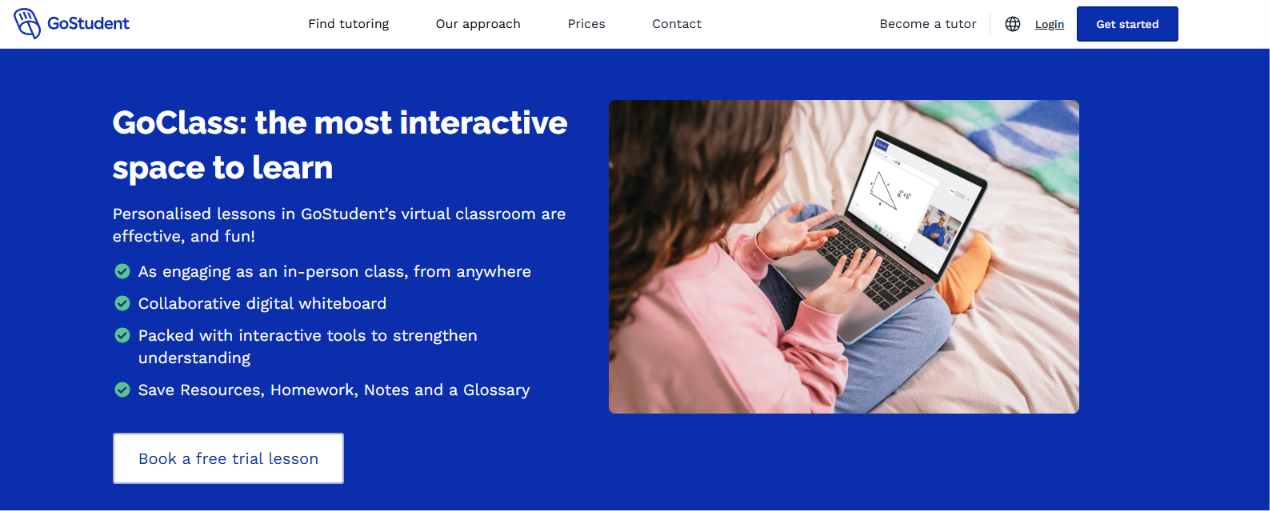
GoClass: the best online whiteboard for tutoring, built into GoStudent
GoClass is GoStudent's own virtual classroom, designed from the ground up for live, personalised tutoring rather than adapted from a generic meeting tool. It's built into the GoStudent platform, so there's nothing extra to set up before a lesson.
Tutors and students connect through the same GoStudent dashboard, so there's no separate link to send or app to download before a lesson. Once a lesson is booked, both join GoClass directly from their account at the scheduled time, landing straight in the virtual classroom with the whiteboard ready to use.
From there, the tutor can share documents, work through problems together in real time, and record the session, while the platform handles the rest in the background, generating a lesson summary and, where relevant, a Magic Quiz once the lesson ends. Because everything happens inside one connected space, there's little room for the technical hiccups that come with juggling separate video and whiteboard tools.
Features
- Interactive digital whiteboard for real-time drawing and problem-solving,
- Video and document sharing directly in the lesson,
- Equation editor for maths and science subjects,
- Automatic lesson summaries generated after every session to summarise what was learned,
- Audio recording so lessons can be replayed,
- Built-in messaging (GoChat) for follow-up between lessons,
- Automated Magic Quizzes generated in one click at the end of a session to quiz students and reinforce learning.
What we love and like least about this brand
|
What we like |
What we like less |
|
Completely free to use for tutors and their students. |
Only available to tutors teaching on GoStudent. |
|
Fully integrated into the tutoring platform, no extra software or setup needed per lesson. |
Requires a stable internet connection for full functionality. |
|
Automatic lesson summaries are generated at the end of each lesson, to save admin time. |
Not usable outside of a booked GoStudent lesson. |
|
Magic Quizzes reinforce learning immediately after the lesson. |
|
|
Designed specifically for 1:1 tutoring, not repurposed from team software. |
|
|
Specifically built for tutors to facilitate teaching and learning. |
|
What makes GoClass stand out?
What sets GoClass apart is that it's designed entirely around the tutor-student relationship, not a generic collaboration format borrowed from the corporate world. Every feature, from the whiteboard to the quizzes to the lesson summaries, is built to truly support one tutor working closely with one student.
Pricing :
- GoClass is free and included for all tutors teaching through GoStudent, no separate subscription is required to use this platform.
Who is it best for?
Ideal for tutors who want a digital whiteboard for online teaching experience without juggling multiple apps, and who are teaching (or want to teach) through GoStudent. This is also ideal for tutors who want to save time during lessons without having to switch between tools and platforms.
Bitpaper
Bitpaper is an established whiteboard built specifically for online tutoring, used widely across independent tutoring businesses. It works as a standalone browser-based canvas: a tutor creates a room and shares a link with their student, who joins with no download or account required.
From there, both can draw, write, and upload materials onto the same page in real time, with the option to flick between multiple pages within a single session, much like turning to a fresh sheet on a physical notepad. Because it runs independently of any particular tutoring platform, it's commonly paired with a separate video call tool, such as Zoom or Google Meet, running alongside it.
Features
- Infinite canvas with multi-page lessons,
- PDF and image upload for annotating existing materials,
- Session recording and playback,
- Maths symbol library built in,
- Works directly in the browser, no download required.
What we love and like least about this brand
|
What we like |
What we like less |
|
Built specifically for tutoring, not adapted from team software. |
Free plan is limited in features. The platform requires a subscription to use. |
|
Easy to annotate over uploaded worksheets or textbooks. |
Interface feels dated compared to newer tools. |
|
Reliable session recording for parents and students to review. |
Can lag slightly with very large uploaded files. |
|
No need to download anything; the platform is easily accessible for both tutors and students online. |
What makes Bitpaper stand out?
Its ability to import and mark up existing worksheets or textbook pages makes it especially useful for tutors who already work from set materials.
Pricing :
- Free plan available, with limited features.
- Paid plans start from around £5/month.
Who is it best for?
Tutors who work from existing course materials and want to annotate them directly during lessons online. This helps these tutors save time in both lesson preparation and organisation for lessons, by reducing their time spent adapting or modifying teaching materials.
Whiteboard.fi
Whiteboard.fi was originally designed for classroom teachers but works well for 1:1 and small-group tutoring too, particularly for checking understanding in real time.
A tutor creates a session and shares a simple code or link, and each student who joins gets their own individual board to work on. The tutor can then view every student's board from a single teacher screen, switching between them instantly to see who's on track and who needs help, without needing to ask each student to share their screen individually.
As with Bitpaper, it's typically used alongside a separate video calling tool rather than including one itself.
Features
- Teacher can view all student boards simultaneously (useful for small groups),
- Simple drawing and text tools,
- Templates available for common subjects,
- Students join with just a code, no account or download required to facilitate access,
- Includes a maths symbol tool for handling equations and expressions,
- Works on any device with a browser.
What we love and like least about this brand
|
What we like |
What we like less |
|
Extremely simple to pick up with no learning curve. |
Fewer advanced features than dedicated tutoring tools. |
|
Great for checking student work in real time, in group settings. |
No built-in recording on the free plan. |
|
Includes a waiting room and room lock feature, so sessions stay private and secure. |
|
|
Free tier is generous. |
|
|
No account or download needed for students to join, just a simple code. |
|
|
Includes a waiting room and room lock feature, so sessions stay private and secure. |
What makes Whiteboard.fi stand out?
Its ability to see every student's board at once makes it particularly strong for small-group tutoring sessions.
Pricing :
- Free plan available for basic usage,
- Premium plans start from around £4/month.
Who is it best for?
Tutors running small-group sessions who need to monitor multiple students' work at once. It's particularly useful for checking understanding on the fly, without interrupting the flow of the lesson to ask each student to share their screen individually.
Lessonspace
Lessonspace is a virtual classroom built specifically for the tutoring and online education industry, combining video, whiteboard, and file sharing in one space.
A tutor sets up a room through the Lessonspace dashboard and sends a single link to their student, who joins directly in the browser with no separate download needed. Once inside, video calling, the whiteboard, and shared documents all sit within the same window, so tutors don't need to run any additional software alongside it. Sessions can also be recorded automatically, giving students a way to revisit the lesson afterwards.
Features
- Built-in video conferencing alongside the whiteboard,
- Document and code editor support,
- Session recording for students to revisit lessons,
- Subject-specific tools and templates,
- Multi-tutor and group room support for classes or shared sessions,
- Integration with tutoring management and scheduling platforms such as Teachworks, Thinkific, and Moodle, and more apps via Zapier.
What we love and like least about this brand
|
What we like |
What we like less |
|
All-in-one space, no need for separate video call software. |
Pricing can be high for independent tutors. |
|
Strong recording features for lesson playback. |
Slight learning curve for first-time users. |
|
Designed specifically with tutoring platforms in mind. |
Best value requires higher-tier plans. |
|
Multi-page format lets tutors keep separate pages per topic within the same session. |
|
|
Wide range of maths and science symbol libraries built in, useful for STEM tutors. |
|
What makes Lessonspace stand out?
It combines video calling and whiteboarding natively, removing the need to run two separate tools during a lesson. Because both live in the same space, a tutor can share a worksheet on the whiteboard while still seeing their student on screen, without switching windows or losing the flow of the lesson. Its subject-specific tools, like code editors for computer science tutors or equation editors for maths, also mean it adapts to a wider range of subjects than most tools built purely around drawing and annotation.
Pricing :
- Plans vary by usage; contact the platform for your personal usage needs.
Who is it best for?
Tutors or tutoring businesses wanting an all-in-one lesson space rather than a whiteboard alone, particularly those teaching subjects like coding or computer science where a code editor is genuinely useful, or agencies managing several tutors who want video, whiteboard, and recording all handled by one consistent tool.
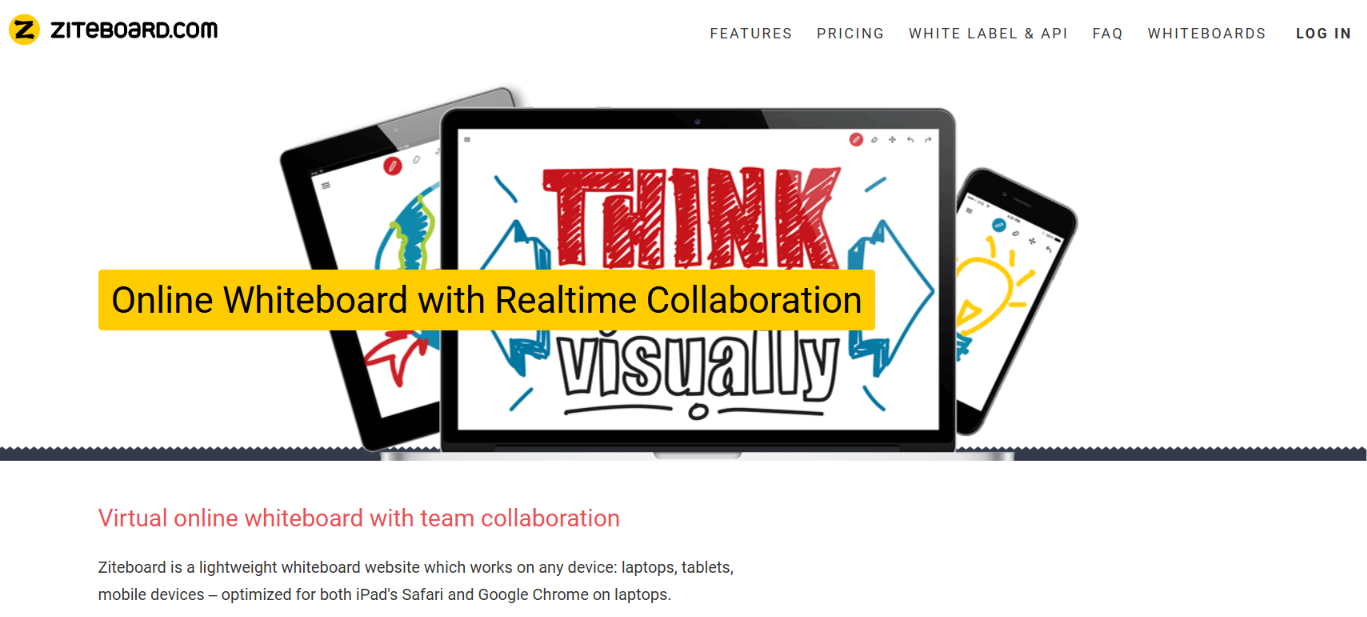
Ziteboard
Ziteboard is a lightweight, fast-loading whiteboard well suited to tutors who want something simple without unnecessary extras.
A tutor opens a board and shares a link, and the student joins straight in the browser with no account needed. Because it's built on a vector-based canvas, drawings and handwriting stay sharp even when zooming in, which makes it a good fit for detailed diagrams or working through maths problems by hand with a tablet and stylus.
As with several other standalone tools on this list, it's usually paired with a separate video calling app running alongside it.
Features
- Vector-based drawing for smooth, scalable annotations,
- Real-time collaboration with students,
- PDF import for annotating documents,
- Works well on tablets with a stylus,
- Unlimited canvas size so diagrams and notes can keep expanding without running out of space,
- Session boards can be saved and revisited for future lessons.
What we love and like least about this brand
|
What we like |
What we like less |
|
Very fast and responsive, even on lower-end devices. |
Fewer subject-specific templates than dedicated tutoring tools. |
|
Clean, distraction-free interface. |
Free plan limits number of boards. |
|
Works well with stylus input on tablets. |
No built-in video calling. |
|
Boards can be saved and reused across lessons. |
|
|
Unlimited canvas means no need to manage space during a lesson. |
|
What makes Ziteboard stand out?
Its vector-based canvas keeps handwriting and diagrams crisp even when zooming in, which is useful for detailed maths or science work. Combined with an unlimited canvas, this means tutors can zoom in to walk through a single equation step by step, then zoom back out to see the whole problem laid out at once, without ever losing sharpness or running out of room to work.
Pricing :
- A free plan is available,
- Paid plans start from around £6/month.
Who is it best for?
Tutors teaching maths or science who annotate heavily using a tablet and stylus. It's a particularly good fit for anyone working through step-by-step problem solving, where the precision of a stylus and the crispness of vector-based drawing make a real difference to how clearly a student can follow along.
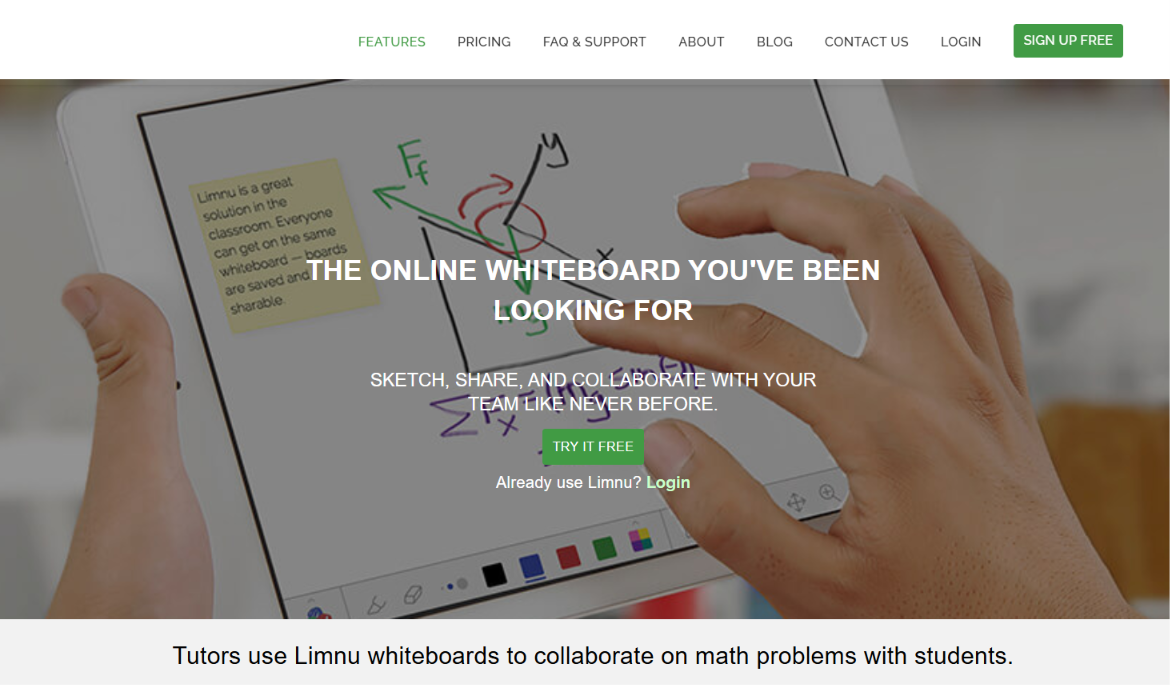
Limnu
Limnu is a collaborative whiteboard designed with real-time teaching interactions in mind, offering a natural sketching feel.
Getting started takes seconds: a tutor shares a link, and the student clicks straight into the board without needing to sign up or install anything, which makes it especially handy for a first lesson with someone new. The canvas responds closely to hand movement, so sketches and annotations come out looking more like something drawn on paper than typed into software.
It doesn't include its own video calling, so most tutors run it in a second window next to whichever call tool they already use.
Features
- Real-time multi-user drawing,
- Sticky notes and shape libraries,
- Session save and reload,
- Simple sharing via link, no account needed for students,
- Zoom and pan controls for navigating larger boards,
- Undo/redo history for quick corrections mid-lesson.
What we love and like least about this brand
|
What we like |
What we like less |
|
Students can join instantly without creating an account. |
Fewer tutoring-specific features (no equation editor). |
|
Natural, sketch-like drawing feel. |
Free plan has limited board history. |
|
Simple enough for younger students to use unaided. |
No built-in video conferencing. |
What makes Limnu stand out?
Its no-signup-required student access makes it particularly frictionless for younger learners joining a lesson. For a tutor working with primary or early secondary school students, this removes one of the more common hurdles at the start of a session, fumbling with logins or forgotten passwords, and lets the lesson start on time with the student straight into drawing rather than troubleshooting access.
Pricing :
- A free plan is available,
- The brand’s paid plans from around $8/month.
Who is it best for?
Tutors teaching younger students who need a simple, no-login lesson entry point. It's also a solid fit for tutors running trial lessons or one-off sessions with new students, where asking someone to create an account before they've even decided to commit can feel like an unnecessary barrier.
The natural sketching feel makes it particularly well suited to subjects like art, or younger learners doing handwriting practice, where a hand-drawn look matters more than technical precision.
AWW App (A Web Whiteboard)
AWW App is a straightforward, free whiteboard that's popular with tutors who want something functional without any setup. There's no registration step on either side: a tutor generates a board and passes on the link, and the student is drawing on it within moments of clicking through.
The toolset stays deliberately basic, covering pens, shapes, text and image uploads, which suits tutors who don't want to spend lesson time hunting through menus. It sits apart from video calling entirely, so it tends to work best as a quick add-on to whatever conferencing tool a tutor is already using.
Features
- Instant boards with no sign-up required,
- Basic drawing, text and shape tools,
- Image upload and annotation,
- Export boards as images.
What we love and like least about this brand
|
What we like |
What we like less |
|
Free and instantly accessible, ideal for quick lessons. |
Lacks advanced features like recording or quizzes. |
|
No account creation needed for students. |
Board history is limited without an account. |
|
Simple enough to use with zero training. |
Not built specifically for tutoring workflows. |
What makes AWW App stand out?
Its zero-setup approach means a tutor can open a board and share the link within seconds, with no student account required.
Pricing :
- A free version with an optional paid tier for extended history are available.
Who is it best for?
Tutors who need a simple, no-frills whiteboard for occasional or one-off lessons. It also suits tutors who are still deciding on a long-term setup and want something free to lean on in the meantime.
Groupboard
Groupboard is a long-standing online whiteboard tool that has been used in education and online lesson delivery for years.
Setup starts with a tutor creating a board through the Groupboard site, which can then either be shared as a link or embedded directly into their own website for students to access. Alongside the drawing canvas sits a built-in chat panel, giving tutors a way to type quick notes or instructions without disrupting whatever's on screen.
It predates many newer tools on this list, and it shows in the interface, but the embedding option remains a genuine point of difference for tutors who run bookings through their own site rather than a third-party platform.
Features
- Real-time collaborative drawing,
- Chat function alongside the whiteboard,
- Save and export lesson boards,
- Embeddable into existing websites or platforms.
What we love and like least about this brand
|
What we like |
What we like less |
|
Reliable and well-established in education settings. |
Interface feels less modern than newer competitors. |
|
Can be embedded into a tutor's own website. |
Fewer subject-specific tools than dedicated platforms. |
|
Straightforward pricing structure. |
Limited mobile optimisation. |
|
Built-in chat sits alongside the canvas, useful for quick notes without disrupting the board. |
What makes Groupboard stand out?
Its ability to be embedded directly into a tutor's own website makes it useful for tutors running independent booking platforms. Rather than sending students off to a separate whiteboard site, the canvas lives right on the tutor's own page, alongside their booking calendar or lesson materials, giving the whole experience a more joined-up, professional feel from the student's point of view.
Pricing :
- Plans start from around £8/month.
- A free version is available but it's limited (fewer users at a time, limited saved messages and images, and comes with ad banners).
Who is it best for?
Independent tutors who run their own website and want a whiteboard embedded directly into it, rather than sending students off to a separate platform to start a lesson.
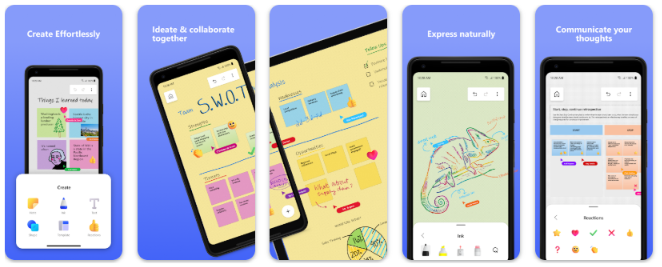
Microsoft Whiteboard
Microsoft Whiteboard is a solid choice for tutors already working within the Microsoft ecosystem, particularly those using Teams for lessons. Because it's built into Microsoft 365, a tutor running a lesson through Teams can launch the whiteboard directly inside the call itself, with no separate link or login required for the student to join in.
Handwriting can be converted into neat shapes or typed text automatically, which comes in handy for tidying up quick sketches mid-lesson. Boards also sync across devices through the tutor's Microsoft account, so a diagram started on a laptop can just as easily be picked up again on a tablet later.
Features
- Deep integration with Microsoft Teams,
- Ink-to-shape and ink-to-text conversion,
- Templates for common lesson formats,
- Cross-device sync via Microsoft 365,
- Sticky notes and reaction stickers for quick, informal feedback,
- Multiple collaborators can draw on the board simultaneously.
What we love and like least about this brand
|
What we like |
What we like less |
|
Seamless if you already use Teams for lessons. |
Less useful outside the Microsoft ecosystem. |
|
Free with a Microsoft 365 account. |
Fewer tutoring-specific features than dedicated platforms. |
|
Good handwriting-to-text conversion. |
Occasional sync delays on lower-end devices. |
|
Familiar, Office-style interface means most tutors and students can find their way around it instantly, with next to no learning curve. |
|
|
Boards can be exported straight into OneNote, making it easy to keep lesson notes and diagrams together in one place. |
What makes Microsoft Whiteboard stand out?
Its native integration with Teams means tutors already using Microsoft's ecosystem can start a whiteboard mid-lesson with no extra setup, no separate link, no new tab, no waiting for a student to click through to another site. For tutors whose lessons, calendar, and lesson notes already live inside Microsoft 365, that's a genuinely practical advantage: everything stays within one login and one connected set of tools, rather than adding yet another platform to keep track of.
Pricing :
- Microsoft Whiteboard: Free to use with just a Microsoft account, no paid subscription required for the core whiteboard features,
- Microsoft 365 Personal: £8.49/month or £84.99/year (recently increased from £5.99/month),
What the paid plan adds: Extra OneDrive storage, Copilot AI tools, and the full desktop Office apps, none of which are required to use Whiteboard itself.
Who is it best for?
Tutors already teaching lessons via Microsoft Teams, especially those who want their whiteboard, calendar, and lesson notes all sitting inside the same familiar Microsoft account rather than adding another platform to manage.
Brand comparison table
|
Tool |
Best for |
Real-time drawing |
Recording |
Built for tutoring |
|
GoClass |
All-round tutoring |
Yes |
Yes |
Yes |
|
Bitpaper |
Annotating materials |
Yes |
Yes |
Yes |
|
Whiteboard.fi |
Small groups |
Yes |
No (free) |
Partially |
|
Lessonspace |
All-in-one lessons |
Yes |
Yes |
Yes |
|
Ziteboard |
Maths/science on tablet |
Yes |
No |
Partially |
|
Limnu |
Younger students |
Yes |
No |
Partially |
|
AWW App |
Quick, one-off lessons |
Yes |
No |
No |
|
Groupboard |
Embedding into a website |
Yes |
No |
Partially |
|
Microsoft Whiteboard |
Teams-based lessons |
Yes |
No |
No |
Which subject is each brand most useful for ?
|
Tool |
Maths, stats & sciences |
Languages, essays & humanities |
Coding & computer science |
History, geography & social sciences |
|
GoClass |
Yes, equation editor built in |
Yes |
Partially |
Yes |
|
Bitpaper |
Yes, maths symbol library |
Yes |
No |
Yes |
|
Whiteboard.fi |
Yes, maths symbol tool |
Yes |
Partially |
Yes |
|
Lessonspace |
Yes, maths & science symbol libraries |
Yes |
Yes, code editor support |
Yes |
|
Ziteboard |
Yes, precise vector drawing |
Partially |
No |
Yes, sharp diagrams for maps and timelines |
|
Limnu |
Partially |
Yes |
No |
Yes, natural sketching feel for diagrams |
|
AWW App |
Partially |
Yes |
No |
Partially |
|
Groupboard |
Partially |
Yes |
No |
Partially |
|
Microsoft Whiteboard |
Partially |
Yes |
No |
Yes, ink-to-shape conversion for diagrams |
Conclusion: which is the best online whiteboard for tutoring?
🥇 GoClass
Built directly into GoStudent, GoClass offers the most complete package for tutors: whiteboard, recording, quizzes and lesson summaries in one place, with nothing extra to set up. Because it's woven into the platform tutors already teach on, there's no separate software to learn or manage, and the automatic summaries and quizzes keep working for you long after the lesson ends. It's the clearest example on this list of a whiteboard built around the tutor-student relationship rather than adapted from something else.
🥈 Bitpaper
A strong choice for tutors who work from existing materials and want reliable annotation and recording features, purpose-built for tutoring. Its ability to upload and mark up worksheets or textbook pages directly on the canvas makes it especially useful for tutors who teach from a set curriculum, and its multi-page format means a full lesson can be worked through without losing earlier pages.
🥉 Lessonspace
An all-in-one virtual classroom combining video and whiteboarding, ideal for tutors who want everything in a single space. Because video calling and the whiteboard live in the same window, there's nothing extra to set up before a lesson, and the automatic recording gives students an easy way to revisit what was covered afterwards.
Among all the options covered, these three consistently stand out as the best online whiteboards for tutors in 2026, whether you've just become a tutor, are already experienced, or you're looking for an all-in-one platform or a standalone tool to pair with your existing lesson setup.


.jpg?upsize=true&upscale=true&width=100&height=100&name=math-square-root%20(1).jpg)